
Dashboard
A summary of key traffic metrics and team performance.
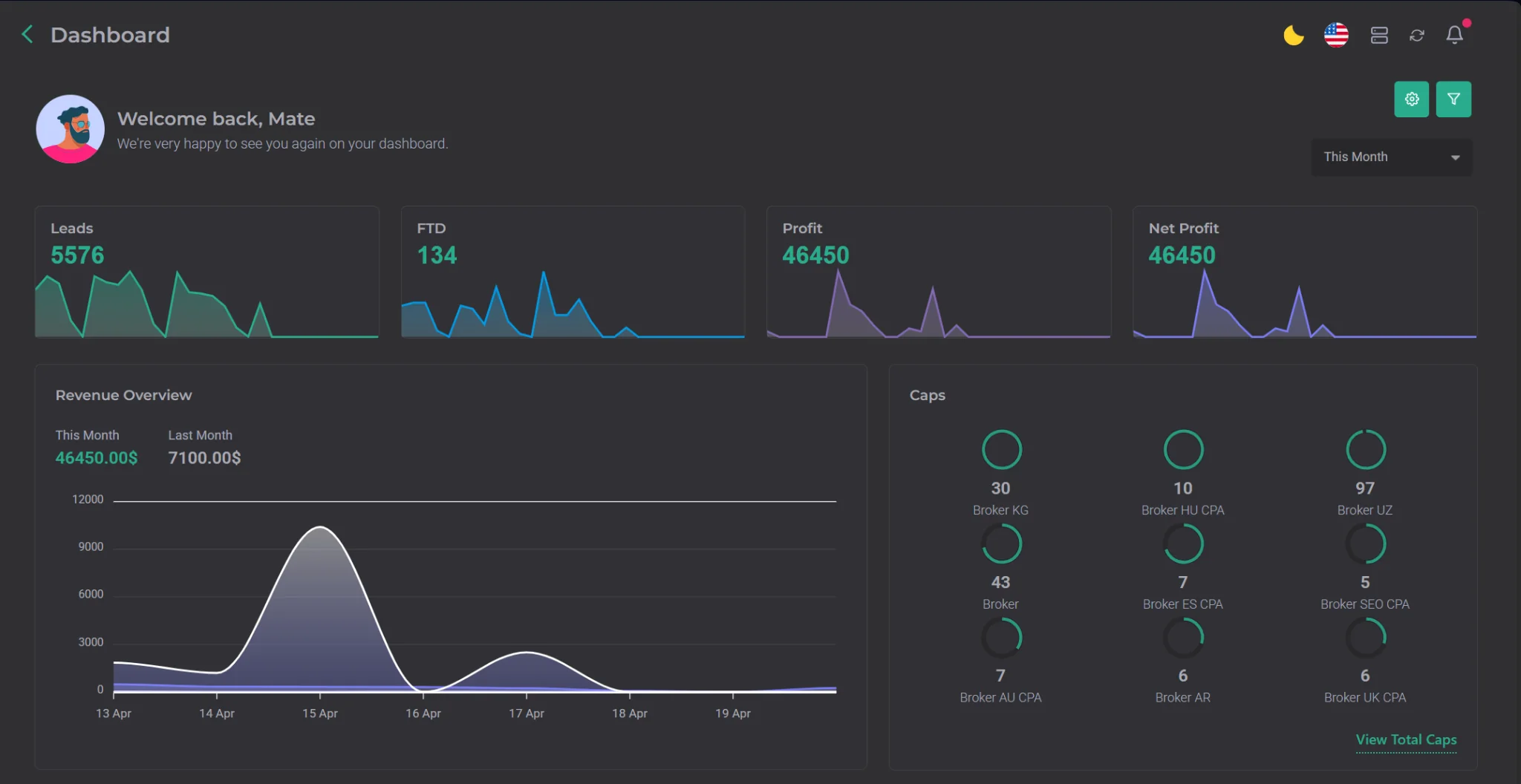
This section is the face of your company and your traffic. Its main purpose is to quickly display key metrics — not in detail, but in a concise format, since more detailed information for every metric is available in other CRM sections.
To configure which metrics appear on the Dashboard, click the gear icon. A menu will open where you can select the metrics you want to display. The list of available metrics is shown in the screenshot below.
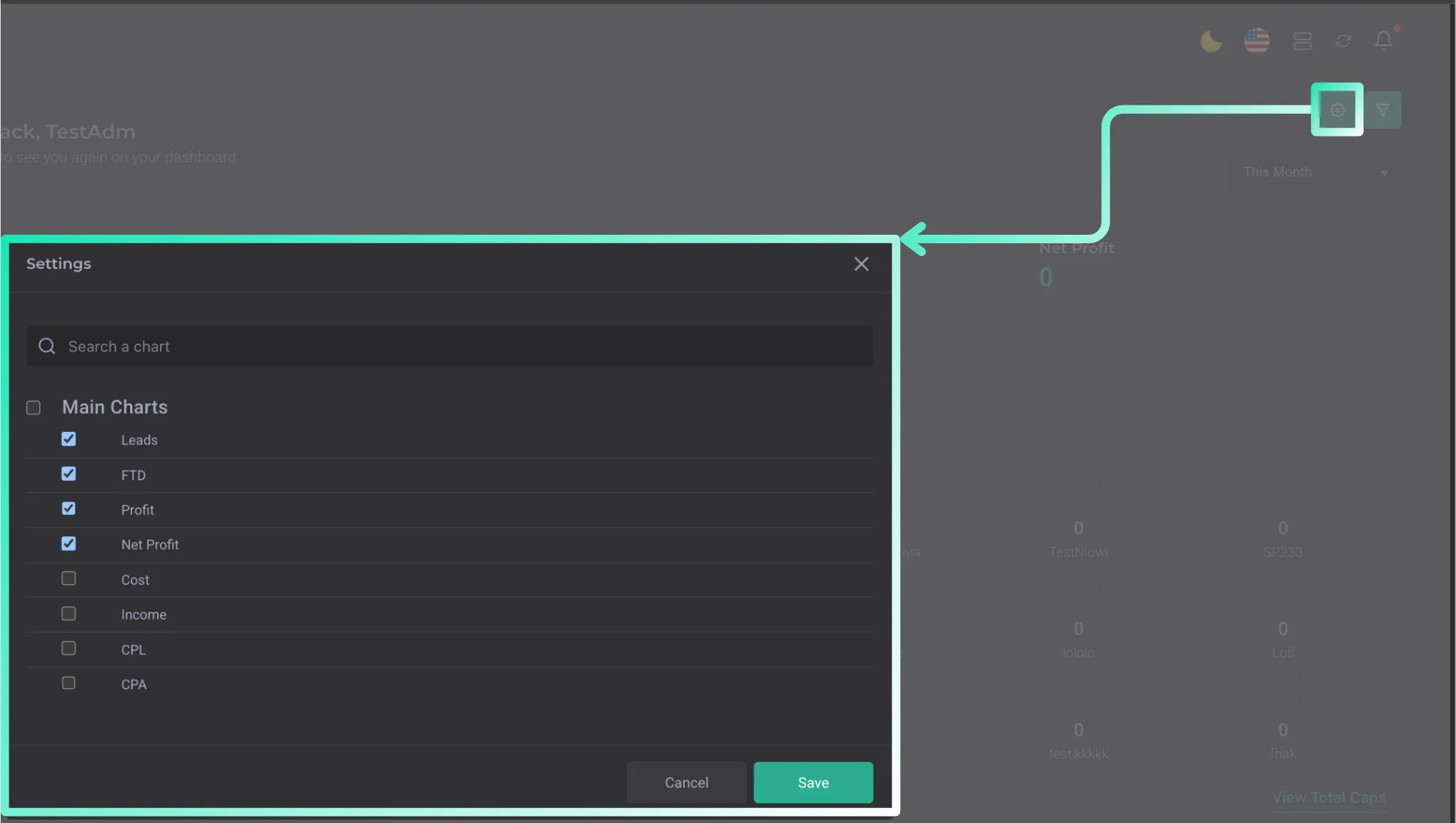
In addition to metrics, filters are available. They let you view information separately for each selected parameter.
