
Archives
Upload archives with landings, prelandings, and white pages.
In this section, archives are added to the CRM.
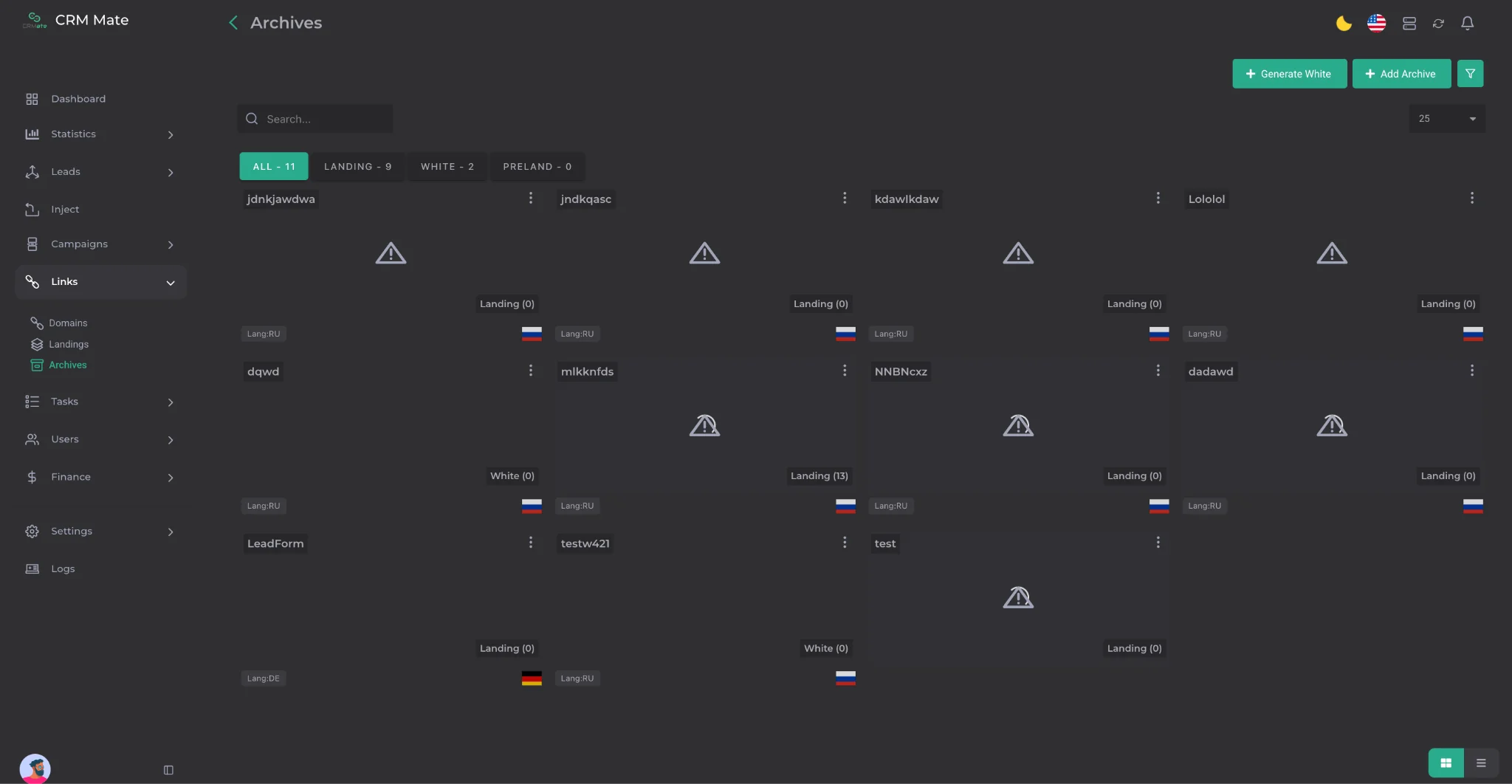
To add an archive, click the Add Archive button and go to the archive creation menu.
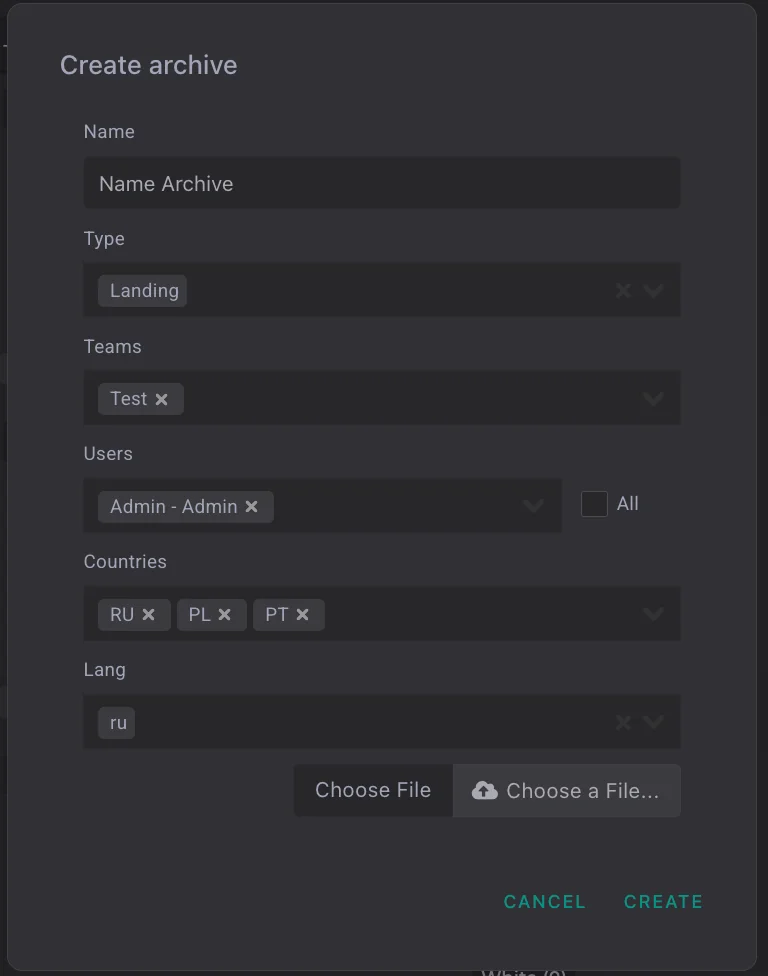
The following parameters are available in the menu:
-
Name — the archive name;
-
Type — the archive type: Landing, Prelanding, or White;
-
Teams — the team to which the archive will be assigned;
-
Users — the user who will have access to the archive. If the archive should be available to all users, check the All box;
-
Countries — the country of the uploaded archive;
-
Lang — the language of the uploaded archive. When uploading an archive, the following mandatory requirements must be taken into account:
-
the archive must contain the index.php and thanks.php files;
-
the archive must not contain log saving;
-
the file size must not exceed 12 MB.

After being added, archives are automatically distributed between tabs according to their type. There, they can be viewed and additionally filtered using the filters button.