
Duplicate Leads
Configure duplicate checks by phone, email, IP, and Fingerprint.
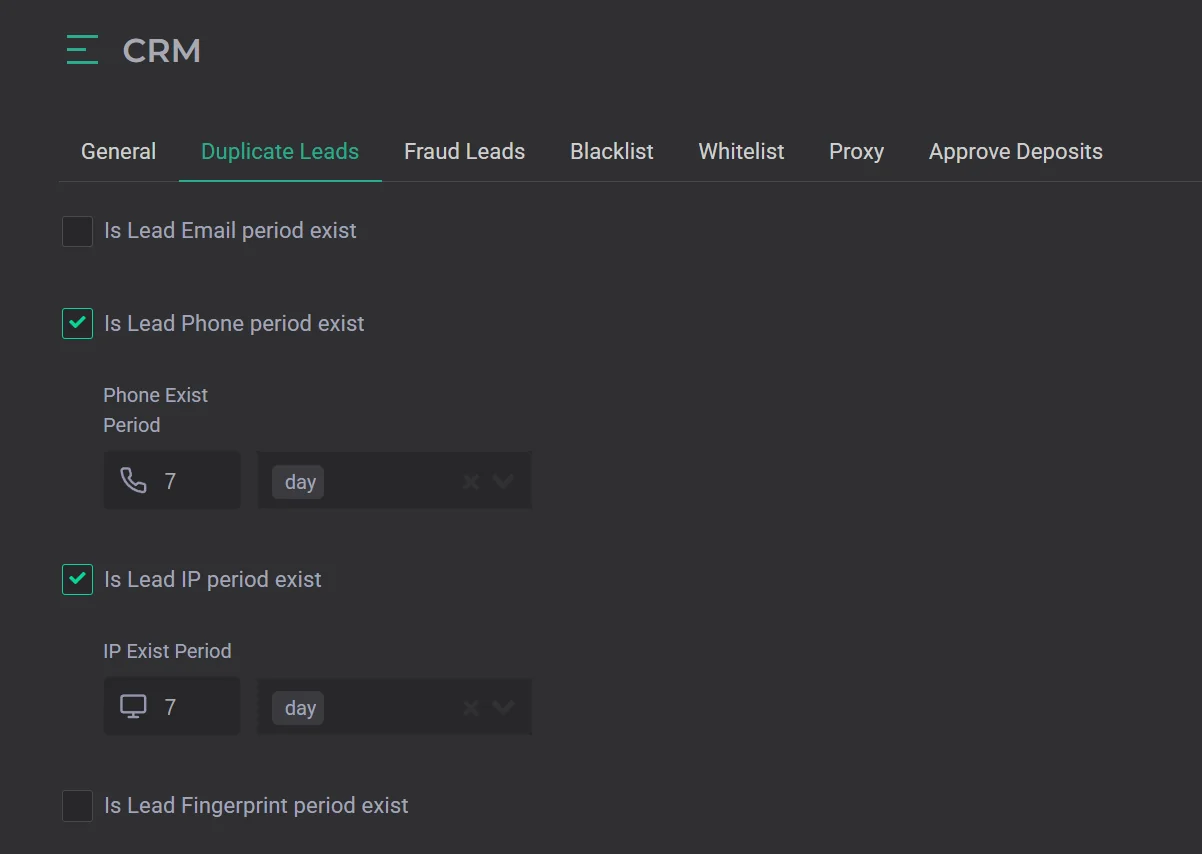
This section contains critically important duplicate settings. Whether you operate as a media buyer or as a network, you need to correctly configure duplicate check periods to ensure safety and protect your profit.
If you do not configure duplicate checks for at least one parameter, there is a risk that the same lead may go to two or more brands. The minimum recommended setup is a duplicate check by phone number.
How the feature works. If duplicate checking by phone number is enabled with a period of 7 days, the first lead with a unique number will be sent to the advertiser or placed in the Hold tab if no suitable campaign exists.
All subsequent leads with the same number within those 7 days will not be sent to the advertiser's campaign and will be placed in the Duplicate tab. If needed, they can be sent manually.
The duplicate check can be configured by four parameters:
- phone
- IP
- Fingerprint
The Fingerprint parameter was created primarily to combat fraud leads that competitors may send. The system analyzes device fingerprints, not just the User-Agent and IP, so it can repel mass attacks from a specific device.
The Fingerprint feature only works if the ad campaign links used were created in CRM Mate in the Landings section.