Tasks
Kanban task board inside the CRM.
The Tasks section is used to create and track tasks within the CRM. It's primarily designed for technical specialists, but can also be used by other employees.
The current status of a task is determined by the column it's in. Each stage has its own column:
| Parameter | Description |
|---|---|
| New | the task has just been created and no one has started on it yet. |
| In Progress | the task has been picked up for work. |
| Ready | the assignee believes the task is done. |
| In Review | the task is under review. |
| Completed | the reviewer has confirmed the task is done. |
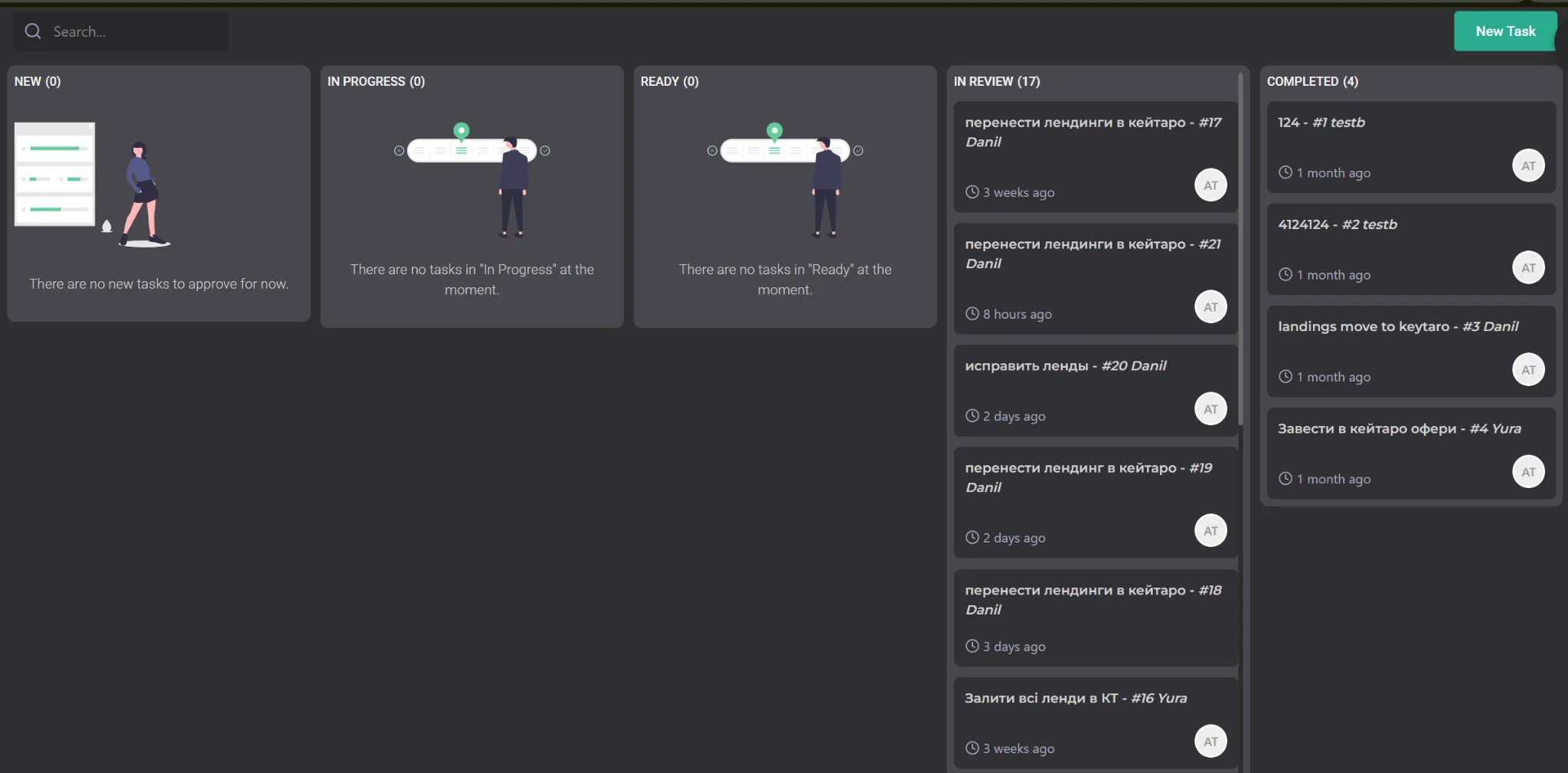
The New Task button is used to create a new task. Once created, the task automatically goes into the New column.
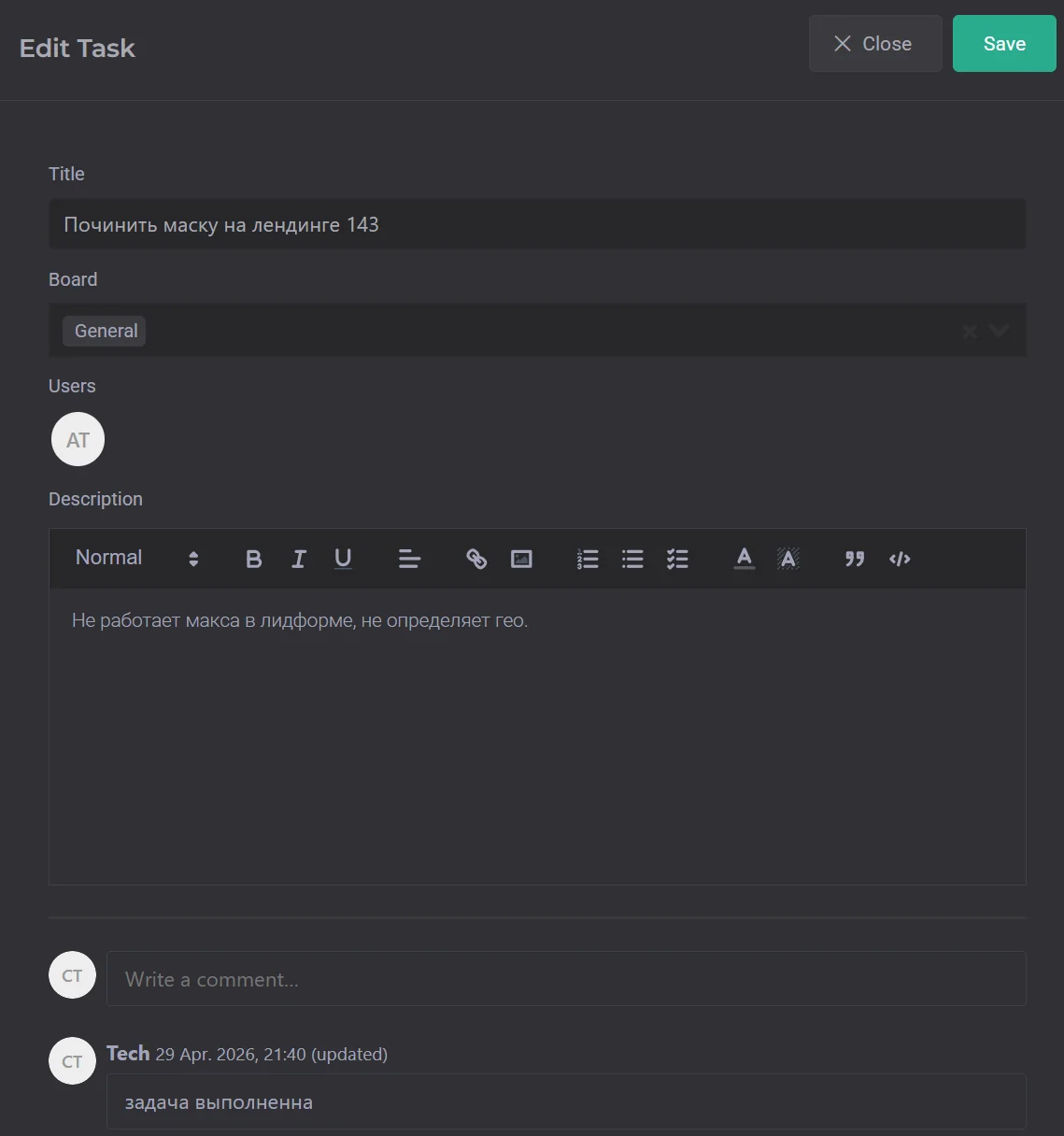
When creating a task, you can specify:
- Title — the name and a brief description of what the task is about.
- Board — the board the task will belong to.
- User — the users who will see the task and be responsible for completing it.
- Description — task description, links to materials, and additional information.
Task discussion can be carried out directly inside the card, since the system supports comments.